



- Joined
- Mar 16, 2024
- Messages
- 8,539
- Reaction score
- 44
- Points
- 48
Game Name: Battle Realms: Zen Edition
Trainer Version: +9
Developer: Ed Del Castillo
Publisher: Ed Del Castillo
Trainer Coder: Exonet
Key Bindings
Numpad 0
Numpad 1
Numpad 2
Numpad 3
Numpad 4
Numpad 5
NOTES
The default value is 7, with the maximum value being 21. To revert to the original effect, please restore the value to its default setting.
File Size: 89 MB.
Trainer Version: +9
Developer: Ed Del Castillo
Publisher: Ed Del Castillo
Trainer Coder: Exonet
Battle Realms: Zen Edition is an action game developed by Ed Del Castillo, released in 2025. The trainer below is for single-player use only.
About Battle Realms: Zen Edition
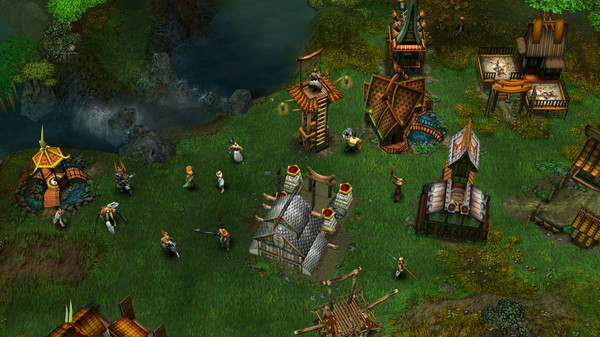
Return of the Classic, now remastered! Battle Realms is a fantasy RTS inspired by the stories told in martial- arts movies and oriental mythology. Develop your peasants into a highly trained and deadly efficient clan of warriors who are ready to die with your name on their lips.Battle Realms: Zen Edition – Game Information
- Developer: Ed Del Castillo
- Publisher: Ed Del Castillo
- Genre: Action, Strategy
- Release Date: 27 Jan, 2025
- Platform: Windows
- Metacritic Score: 82/100
- Steam Achievements: 90
- Languages: English
How to install Battle Realms: Zen Edition Trainer
The Trainer offers a set of 6+ functions and is compatible with all iterations of the game. To initiate the program, extract the contents of the archive, launch the Trainer, click on the game icon, and subsequently launch the game. The options menu can be accessed by pressing the F4 key.Key Bindings
Numpad 0
Numpad 1
Numpad 2
Numpad 3
Numpad 4
Numpad 5
NOTES
The default value is 7, with the maximum value being 21. To revert to the original effect, please restore the value to its default setting.
File Size: 89 MB.
Attachments
Last edited by a moderator: