



- Joined
- Mar 16, 2024
- Messages
- 8,539
- Reaction score
- 44
- Points
- 48
Game Name: Yarimono
Trainer Version: +18
Developer: ?????
Publisher: 072 Project
Trainer Coder: NrAntiFun
Key Bindings
Numpad 0
Numpad 1
Numpad 2
Numpad 3
Numpad 4
Numpad 5
NOTES
The default value is 7, with the maximum value being 21. To revert to the original effect, please restore the value to its default setting.
File Size: 89 MB.
Trainer Version: +18
Developer: ?????
Publisher: 072 Project
Trainer Coder: NrAntiFun
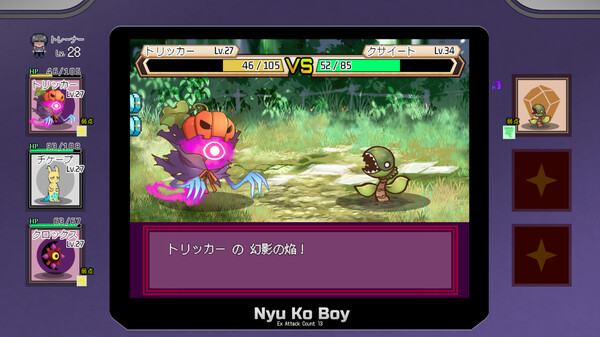
Yarimono is an adventure game developed by ã«ã‚…ã†å·¥æˆ¿, released in 2024. The trainer below is for single-player use only.
About Yarimono
The protagonist's life takes a turn after their partner Yarimon learns the ultra-invincible move, the "Cheat Tackle". While challenging various trainers to participate in the Yarimon tournament, the protagonist unexpectedly discovers the secrets of this world.Yarimono – Game Information
- Developer: にゅう工房
- Publisher: 072 Project, 072 News
- Genre: Adventure, Indie, RPG
- Release Date: 30 Aug, 2024
- Platform: Windows
- Steam Achievements: 15
- Languages: Japanese, English, Simplified Chinese, Traditional Chinese
How to install Yarimono Trainer
The Trainer offers a set of 6+ functions and is compatible with all iterations of the game. To initiate the program, extract the contents of the archive, launch the Trainer, click on the game icon, and subsequently launch the game. The options menu can be accessed by pressing the F4 key.Key Bindings
Numpad 0
Numpad 1
Numpad 2
Numpad 3
Numpad 4
Numpad 5
NOTES
The default value is 7, with the maximum value being 21. To revert to the original effect, please restore the value to its default setting.
File Size: 89 MB.
Attachments
Last edited by a moderator: