


- Joined
- Mar 16, 2024
- Messages
- 8,539
- Reaction score
- 44
- Points
- 48
Game Name: ERA ONE
Game Version: 8
Key Bindings:
Numpad 0
Numpad 1
Numpad 2
Numpad 3
Numpad 4
Numpad 5
Notes:
The default value is 7, with a maximum of 21. To restore the original effect, reset the value to its default.
Game Version: 8
ERA ONE is a strategy game developed by Team Complex LTD, released in 2025. The trainer below is for single-player use only.
About ERA ONE
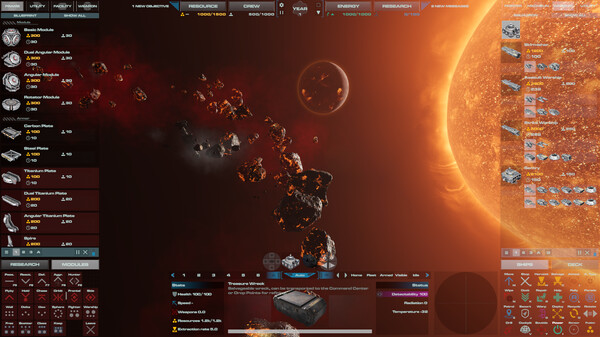
Era One is an innovative space game that combines elements of real-time strategy, base building, space survival, and tactical battles. Players can create and customize their bases from scratch, construct various types of structures and warships, manage fleets, and engage in tactical space battles.ERA ONE – Game Information
- Developer: Team Complex LTD
- Publisher: Team Complex LTD
- Genre: Strategy, Early Access
- Release Date: 6 Aug, 2025
- Platform: Windows
- Languages: English
How to install ERA ONE Trainer
The Trainer provides more than 6 features and works with all game versions. To begin, extract the archive, launch the Trainer, select the game icon, and then start the game. Press the F4 key to open the options menu.Key Bindings:
Numpad 0
Numpad 1
Numpad 2
Numpad 3
Numpad 4
Numpad 5
Notes:
The default value is 7, with a maximum of 21. To restore the original effect, reset the value to its default.
Attachments
Last edited by a moderator: