
MrAntiFun Discord community
  • Please disable adblock add-on.
  • How to Use a MrAntiFun Game Trainer

    Compatibility: Trainers on this forum target the single-player mode of PC games on the exact version listed in each thread. They do not bypass online anti-cheat systems (Easy Anti-Cheat, BattlEye, VAC) and should never be used in multiplayer or competitive modes.

    Installation (4 steps):

    1. Download the trainer archive from the thread's attachments.
    2. Run a fresh scan — the VirusTotal link in each post is your sanity check. Disable real-time AV only if a false positive blocks extraction.
    3. Launch the target game first, reach the main menu, then start the trainer (Run as administrator).
    4. Use the assigned function keys (usually F1–F12) to toggle options: infinite health, stamina, resources, etc.

    If a trainer doesn't activate: confirm the game version matches the "Game Version" header; update Visual C++ Redistributables; and check that your AV hasn't quarantined the executable. Discussion and fixes happen in Trainer Support.

    MrAntiFun has maintained free PC game trainers since 2015. All tools here are community-contributed, tested, and updated per thread.

Trainer Search

MrAntiFun

Well-known member
Staff member
Website Admin
Joined
Mar 16, 2024
Messages
15,380
Reaction score
46
Points
48
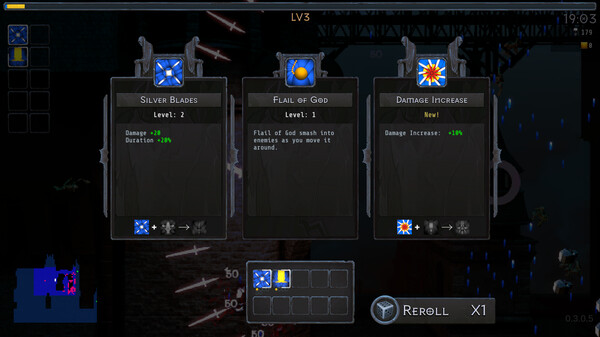
Game Name: Midnight Horde
Game Version: 3


Options:
Infinite Health
Infinite Stamina
Max Food
Set Player Speed
Set Movement Speed
Set Jump Height
Edit Money
Edit Item Amount
Infinite Equipment Durability
Set Game Speed
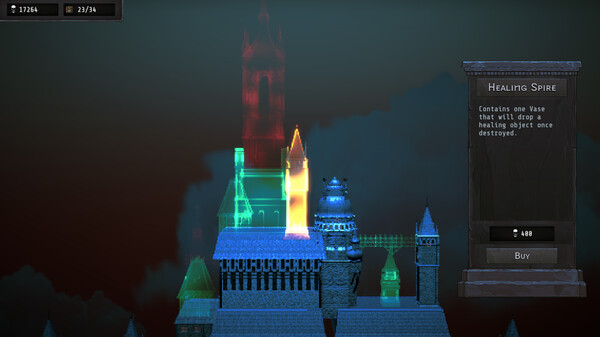
ss_933222ac2065aa497d507ef1a305c2d62210d4e4.600x338.jpg
ss_ee77fc07a7cbc6587a792ae61850f8805750a67b.600x338.jpg

How to install Midnight Horde Trainer​

Launch MrAntifun's loader.
Go to ui.flingtrainer.us, find your game, select the Dword hack option, and hit load.
Start the game.
Enter training mode and press "ENTER."
 

Attachments

  • Midnight Horde Trainer Trainer Setup.exe
    24 MB
Back
Top Bottom